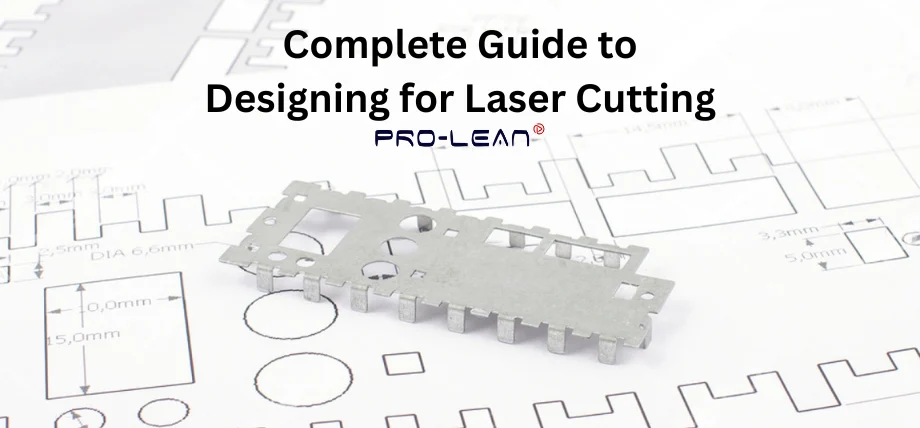
Laser-cut prototypes validate designs directly on the PRO-LEAN guide drawing
The process of designing for laser cutting requires both technical precision and knowledge of materials, as well as proficiency in software that generates vector files for laser-cut designs. The accuracy of digital files in designing for laser cutting determines how well a laser cutting machine will read your design, whether you operate as a seller or work as an engineer. Proleantech offers high-quality, defect- and burn mark-free laser cutting services for various industries, including automotive and medical.
The following guide from Proleantech provides comprehensive information on designing for laser cutting, including software selection and file format choices, as well as an explanation of kerf principles, tolerance settings, and engraving methods.
What Is Laser Cutting and How It Works
The laser cutting process uses a precise laser beam to create material melting or vaporization based on vector data paths. Designing for the laser cutting process achieves precise, narrow cuts through material because it concentrates its energy beam into a small area.
The machine operates based on digital vector graphics, which provide instructions for cutting and engraving operations. The combination of beam power, material properties, and cutting speed determines how well the machine performs its tasks.
The cutting machine receives its movement commands from design software, which controls the entire cutting process. Users need to understand the kerf value because it affects the final dimensions of their parts.
The engraving process uses the same laser beam at reduced power to create surface etching instead of material penetration. The integration of these operations enables users to create complex laser-cut designs in metals, logos, and structural components for various industrial needs, including architecture, mechanical fabrication, and art production.
Choosing the Right Materials for Laser Cutting
The selection of materials affects both the quality of cuts and the final edge finish. Material choice also influences the total cost per square foot. The heat response of different materials requires specific power and speed settings, which depend on both material type and thickness.
Acrylic Material
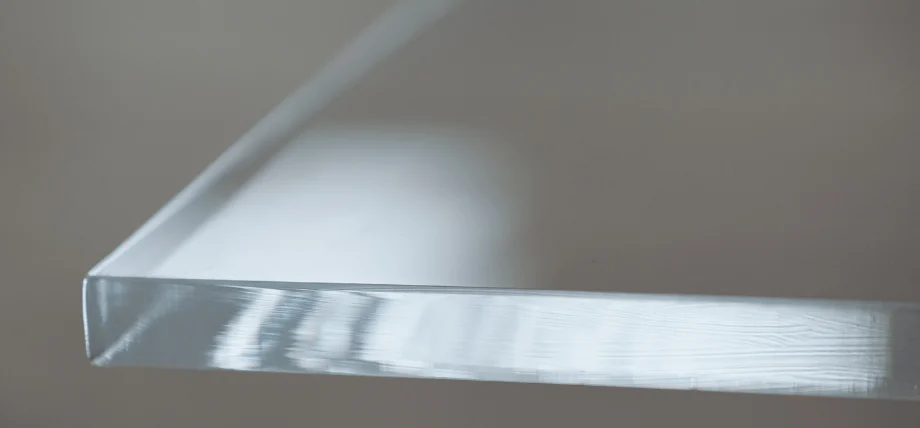
Polished acrylic edges from laser cutting deliver optical clarity and safety
Acrylic stands as a leading material in designing for laser cutting because it offers clear visibility and produces refined edge surfaces. The display industry, along with lighting and signage applications, benefits from cast acrylic because it creates better edge quality than extruded acrylic. The engraving process produces excellent results with acrylic because it creates deep and clear marks. The design process for acrylic requires avoiding overly fine details and unsupported joints because these areas are prone to breaking after cutting.
Wood and Non-Metals
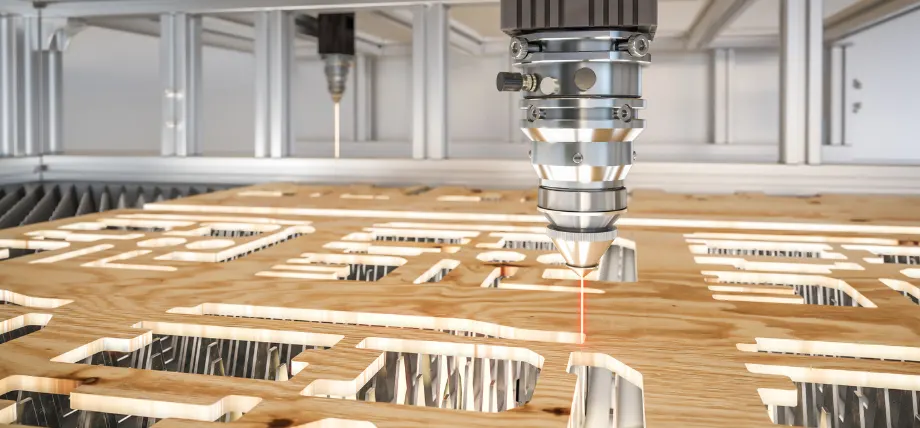
Laser cutters engrave and cut plywood with speed and intricate detail
The materials that work well with CO₂ laser cutters include plywood, MDF, bamboo, and hardwoods. The cutting process produces clean results, but the material edges will darken because of charring. The cutting process requires designers to position their design lines parallel to the wood grain direction for better results. The edges of cut wood become more attractive when you apply a sealant or perform light sanding after the cutting process. The required power for cutting wood depends on its thickness because 3 mm MDF requires less power than 6 mm wood.
Metals
The processing of steel, aluminum, and stainless steel materials needs powerful fibre lasers for effective laser cutting metal parts. The design process for CNC laser cutting requires users to maintain uniform hole dimensions and spacing, as well as bend tolerances that adhere to sheet metal tolerances standards. The laser power and feed rate need to match each other to stop the formation of dross and prevent material distortion. The processing of metals through these methods results in precise dimensions but requires higher expenses for each square foot of material.
Material Thickness and Kerf
The width of kerf measurements ranges from 0.1 mm to 1.0 mm, depending on the laser machine specifications, material thickness, and focus settings. The variation in tab and slot dimensions should match the product assembly requirements. A production-ready pattern should be tested through small-scale cutting operations before starting mass production. The actual width of “3 mm” sheets can differ by 0.2 mm, which affects the performance of press-fit connections.
Design Software for Laser Cutting
The software used for creating vector files serves as the essential foundation for designing laser cutting projects. The laser needs closed paths in the design to trace its exact path.
Adobe Illustrator remains the leading industry tool because it enables users to edit vectors, arrange layers, and color-code their designs for cut and engraving identification. Users who want free or open-source alternatives can use the source software Inkscape to access similar features. The software enables users to export their designs into SVG, PDF, and AI formats, which are supported by most laser cutting software programs.
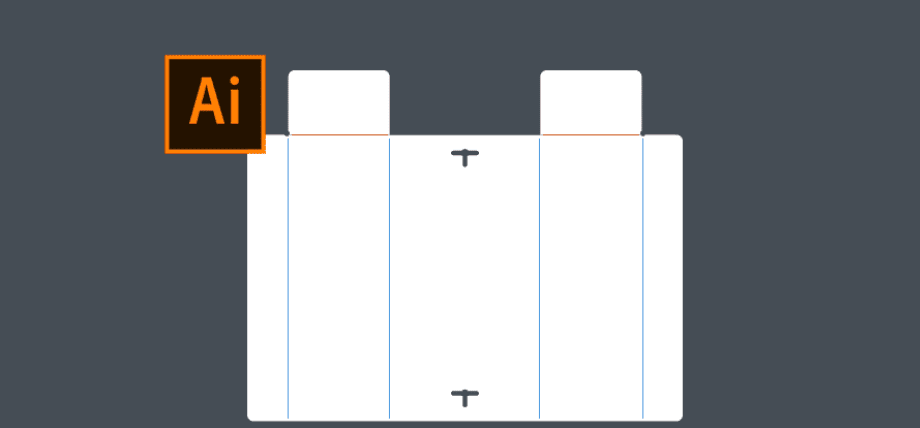
Adobe Illustrator prepares precise layouts for sheet metal folding and laser cutting
The CAD platforms Fusion 3d, SolidWorks, and AutoCAD enable users to create DXF and DWG files, which maintain precise dimensional accuracy for mechanical and architectural designs, including sheet metal drawing. Users who sell design templates online should provide their customers with SVG, DXF, and AI file formats, as these formats are compatible with various cutting and engraving machines.
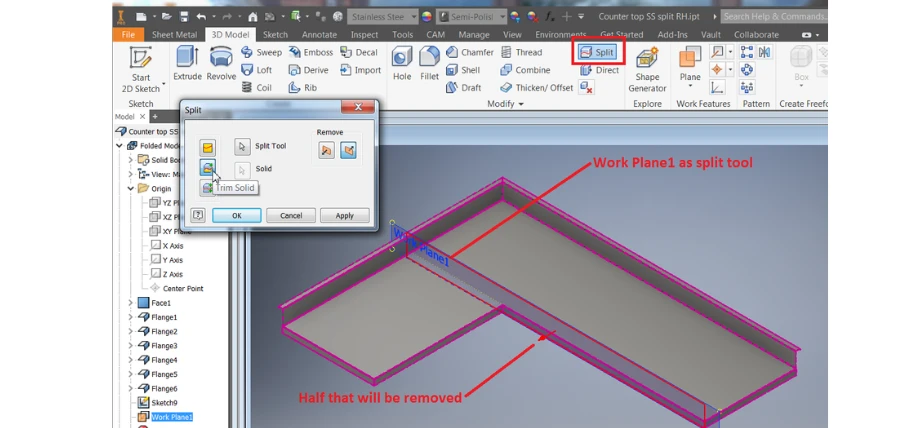
Autodesk Inventor’s split tool divides sheet metal models to remove excess material efficiently
Designing for Fit – Kerf, Tolerances, and Clearances
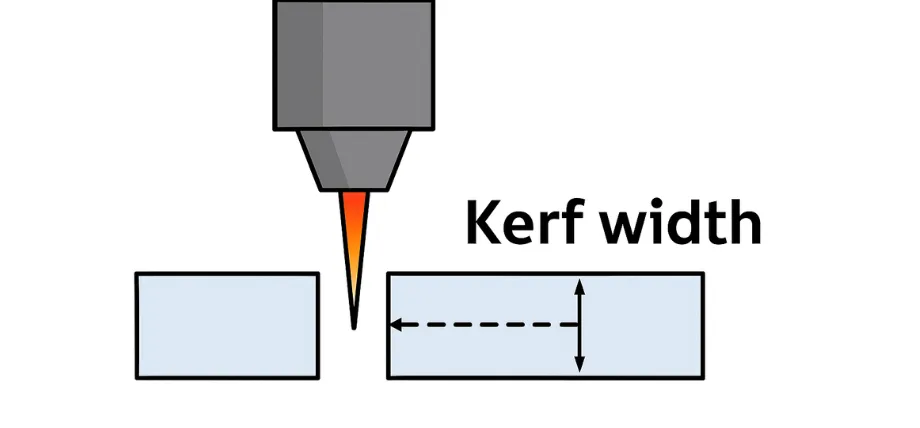
Kerf width is important for accurate fit, as it removes material along the cut path
The process of achieving correct part alignment requires knowledge about kerf dimensions and tolerance of laser cutting specifications. The laser beam removes material width, which determines the kerf dimension. The dimensions of slots, tabs, and joints will become either too tight or too loose when designers fail to consider kerf dimensions.
The correct joint alignment occurs when you subtract half of the kerf measurement from one joint side and add it to the other side. For a 3 mm material with a 0.2 mm kerf, you can subtract 0.1 mm from the tab width and add 0.1 mm to the slot (3.1 mm). This can compensate for material removal, ensuring a precise fit.
The tolerance of laser cutting depends on both machine type and material selection, as wood and acrylic require a precision of ±0.1 mm, whereas metals require a precision of ±0.05 mm. Your cutting process requires test pieces to achieve proper calibration.
The clearance amount should match the material thickness; therefore, a 0.2 mm clearance works well for 3 mm acrylic to create a tight friction connection. The design of laser-cutting parts with uniform tolerance standards enables better assembly precision, minimizes additional work, and ensures parts from different production runs or services can be used interchangeably.
Try Prolean Now!
Designing Holes, Corners, and Complex Shapes
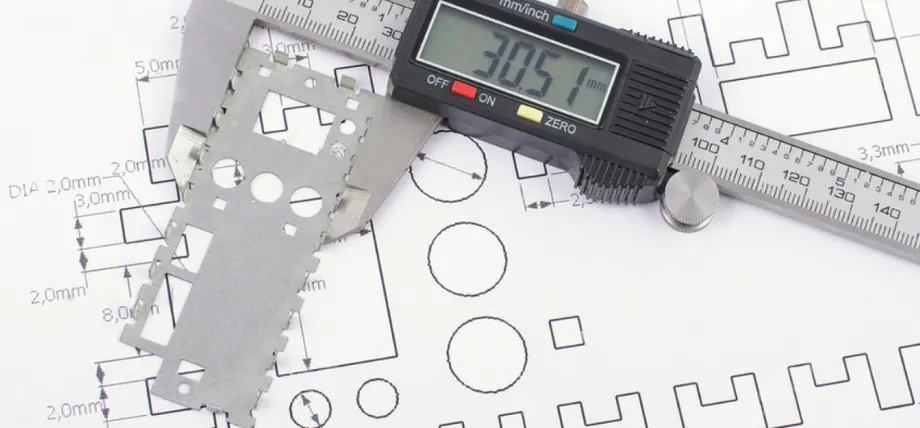
Calipers confirm laser-cut part dimensions match engineering tolerances
The process of creating exact holes, corners, and intricate shapes for laser cutting depends on how the laser beam behaves when it encounters both geometric shapes and material substances. The vector file contains each cut line, which guides the laser cutter’s movement. The laser beam size and heat-affected zone area, however, affect the final dimensions of the cut. The correct design of these features leads to successful cutting operations, which produce parts that match specifications and need less additional work.
Designing Holes
The presence of holes becomes essential for assembly operations because they serve as fastener locations and joint connection points. The final fit depends on three essential factors: hole diameter, material thickness, and kerf dimensions. The hole size needs to be larger than both the laser beam width and the kerf value to prevent undersized cuts. The recommended hole diameter should be at least 1.5 times the material thickness when working with wood and acrylic materials. For 6 mm acrylic, the minimum hole diameter is 9 mm
- 1.5 x 6 mm, this exceeds the kerf (like 0.2 mm) and beam width
This ensures an accurate fit after material removal for fasteners, allowing for a secure attachment. The clearance requirements for metal materials must be higher than those for non-metal materials because they undergo heat expansion and edge buildup.
The distance between holes in aesthetic and lightweight patterns should remain equal to stop warping during the cutting process. The design software Adobe Illustrator and Inkscape enable users to group holes accurately and provide alignment tools for precise positioning. Full production should start only after verifying size accuracy through a sample cut on the same laser cutting machine.
Designing Corners
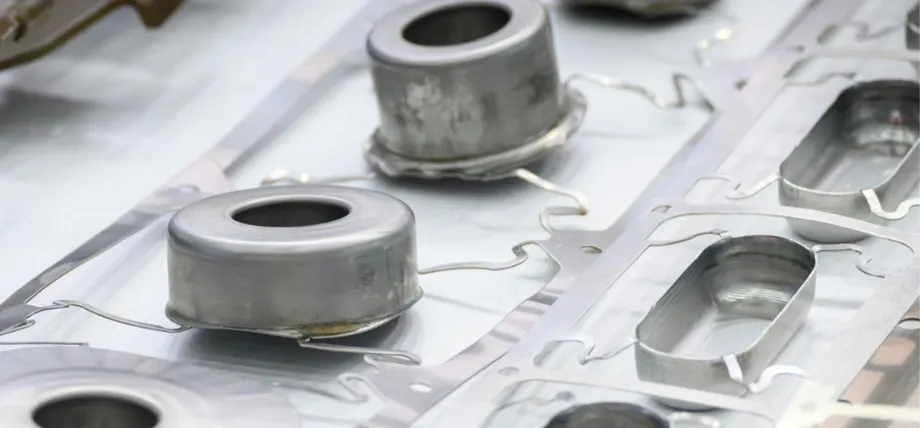
Laser-cut stainless steel integrates cylinders directly, reducing assembly needs
The design process for interior corners needs special consideration because these areas experience maximum heat concentration. The laser beam creates a natural radius at internal corners because it cannot achieve perfect sharpness at these points. The design process for vector graphics requires users to substitute all internal corners with small, rounded elements, which should be at least equal to the beam radius or slightly larger. The design modification helps decrease thermal stress, prevents burn marks and other defects of laser cutting, and strengthens the final product.
The assembly process of acrylic and thin plywood materials requires internal corner relief cuts or rounded transitions, as these features prevent the materials from cracking. The addition of fillets to sheet metal cutting design operations, achieved through custom laser cutting and CNC laser cutting, helps produce better cut results and minimizes slag accumulation. Your cutting machines will achieve better accuracy and extended tool lifespan when you implement these geometric modifications during your laser cutting design process.
Designing Complex Shapes
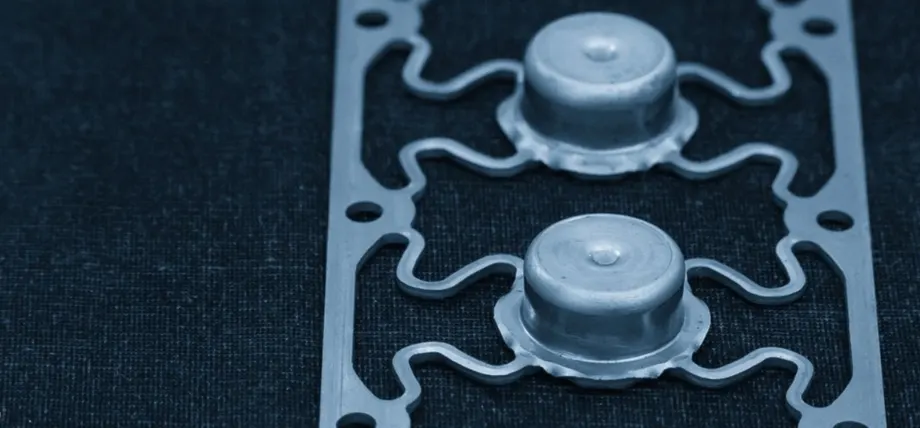
Laser-cut metal achieves complex wavy patterns and raised bosses in one operation
Any laser cutting machine faces challenges when processing complex designs, which include organic shapes, perforated surfaces, and decorative connection points. The laser cutting process will completely vaporize thin material sections that measure less than 0.5 mm when they exist as narrow bridges. Your vector files must contain paths that are non-overlapping and completely closed, while maintaining feature widths that match or exceed the material thickness.
The number of segments in intricate patterns affects both production time and expenses, as each additional segment extends the laser’s movement distance, which impacts operational speed and square-foot pricing. The design software allows users to merge redundant paths and simplify complex areas, which results in faster cutting times.
The laser cutting software allows users to perform test cuts and preview operations before starting production to verify that all design elements, including curves, small details, and corners, will be accurately rendered. Users who have lower-power laser cutters or hobby-grade machines should use simplified versions of complex patterns to ensure compatibility.
Try Prolean Now!
File Preparation and Vector Design Rules
- All cutting lines should use vector paths instead of raster images for engraving purposes.
- The design should contain two separate layers, which will handle cutting and engraving operations.
- The system accepts files in SVG, AI, DXF, DWG, EPS, and PDF formats for export to the laser cut program.
- The line thickness should be set to hairline (≈0.001 in / 0.025 mm).
- All files need to use either millimeters or inches as their measurement unit.
- The design should eliminate all unnecessary lines that produce duplicate cuts during the cutting process.
- The design needs to consider kerf dimensions when making joint adjustments.
- The design should include clear names and layer labels that clearly indicate “cut” and “engrave”.
- The design needs to verify that its smallest element size is compatible with the thickness of the material being used.
- Users who operate different laser cutting systems can access both PDF and SVG template versions, which are available for download.
Cutting or Engraving a Design
Laser Cutting
The laser cutting process involves the cutting laser completely penetrating the material to produce separate parts. The cutting mode enables users to create component boundaries and slots that function as assembly components. Designers need to verify that their paths remain uninterrupted and maintain proper distance between design elements. Heat accumulation during processing increases with dense geometric patterns, which can cause acrylic to warp.
Laser Engraving
The surface vaporization process of laser engraving operates at lower power levels to achieve its effect. The process works best for creating decorative text and textures, as well as for adding serial numbers to laser cut products. The speed at which engraving occurs, along with its depth, depends on both the material being worked on and the specific laser machine used. The engraving process of vector files uses thin stroke paths, but raster engraving operates by scanning back and forth, similar to a printer. The combination of these two techniques enables users to achieve professional-looking contrast effects in their designs.
Production and Cost
Pricing for custom laser cutting services is based on material area and cutting operation time. The vector file complexity determines the machine operation duration because it depends on the number of nodes, path lengths, and the required number of passes. The optimization of part arrangements, efficient nesting techniques, and reduced line duplication helps decrease expenses while minimizing material waste.
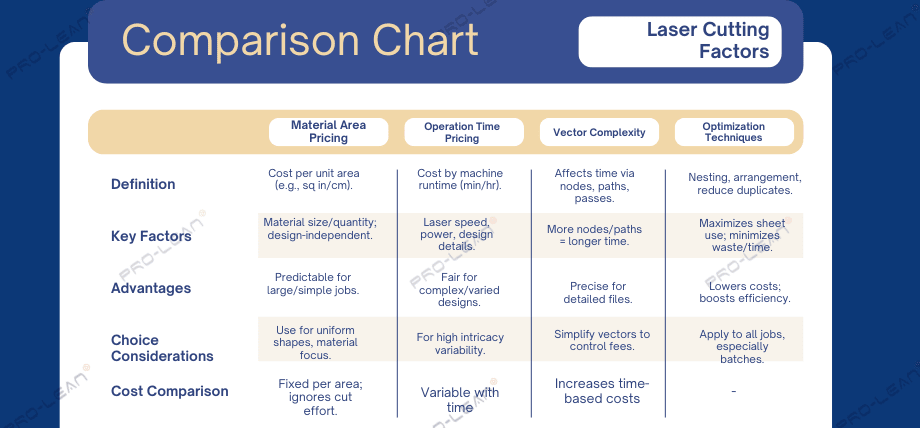
Laser cutting costs depend on material area, machine time, vector complexity, and optimization
Custom Laser Cutting Services
Proleantech offers a wide variety of laser cutting services for different materials. We are experienced in handling alloys, metals, and plastics. With over 20 years of experience in manufacturing and sheet metal fabrication, we provide the quickest lead times and ensure adherence to ISO standards in all your laser-cut parts.
Conclusion
The process of successful laser cutting requires digital accuracy to work with materials that designers are familiar with. The entire process of laser cutting relies on digital file preparation using Adobe Illustrator or Inkscape, as well as material selection and kerf compensation. The successful transition of digital designs into physical products depends on setting proper tolerances, arranging text correctly, and selecting the correct file format for all laser cutting operations.