
Top software like Illustrator and PRO-LEAN laser cutting streamlines design-to-laser production workflows
Modern fabrication relies on software systems that operate laser-cutting machines to define vector paths and control beam parameters, as well as communicate with machine firmware. The selection of appropriate software determines how much material can be processed, the quality of cut edges, operational speed, and machine operation compatibility.
The following sections present ten popular laser cutting software programs for laser cutting and engraving operations, which include both free and paid versions, along with evaluation criteria and a comparison table for quick reference. The evaluation process focuses on tool features and engineering requirements to help you select software that matches your equipment, materials, and production needs.
Top Free Design Software For Laser Cutting
Inkscape
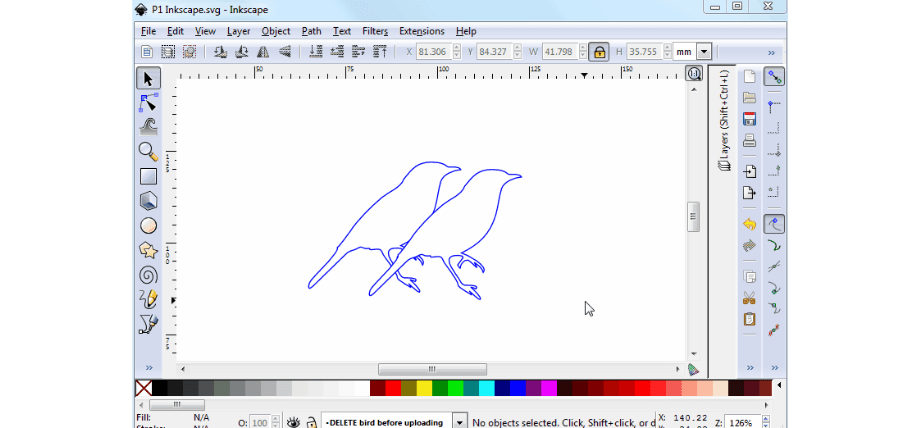
Inkscape creates clean vector paths essential for precise laser cutting of organic shapes
The open-source vector graphics editor Inkscape serves as a popular laser cut program for creating files that can be used for laser cutting operations. The program enables users to edit 2D vector graphics while supporting the export of files in SVG, DXF, and PDF formats. The software lacks direct laser machine control, but its advanced node editing features, path operations, and plug-in architecture make it an excellent choice for design preparation. Users commonly use Inkscape in conjunction with control software, such as LaserGRBL or LightBurn, to execute their final operations.
LaserGRBL
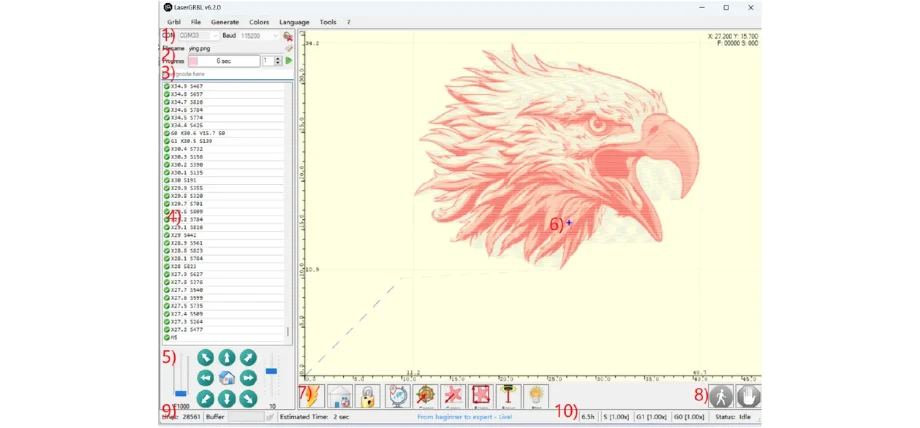
LaserGRBL simulates detailed eagle engravings to verify paths before cutting
The Windows application LaserGRBL functions as a lightweight system that operates with GRBL-based laser controllers. The application enables users to import raster and vector images, which it then transforms into G-code before executing machine commands. The application enables users to control their laser in real time while also allowing them to jog the machine and adjust power levels. The software offers basic functionality for hobbyists and entry-level systems.
LaserWeb (LaserWeb 4)
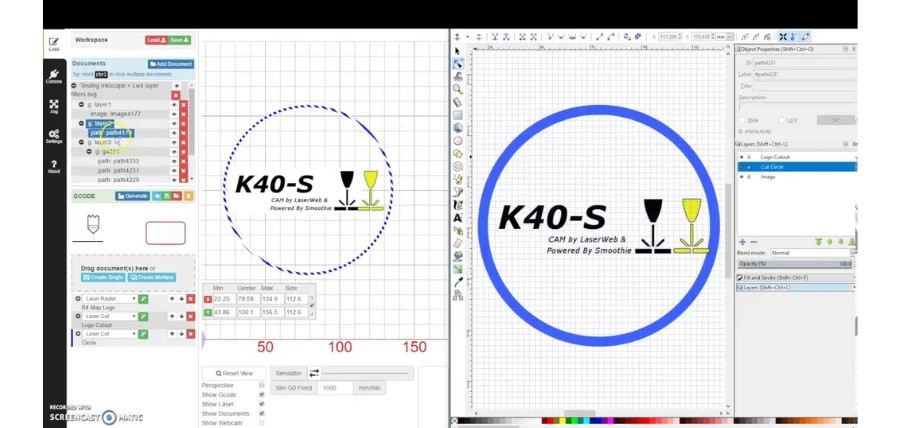
LaserWeb and LightBurn collaborate to prepare and refine “K40-S” logos for CO2 lasers
LaserWeb operates as an open-source browser platform that enables users to control lasers through CAM processing and machine operation. The platform supports file import from SVG, DXF, PNG, and JPG formats and produces G-code while managing job queues for multiple operations. The software operates as a standalone application or a networked server system, enabling users to handle multiple machine operations. Users need basic setup skills to operate LaserWeb because they must configure firmware and motion parameters.
OpenBuilds CAM & Control
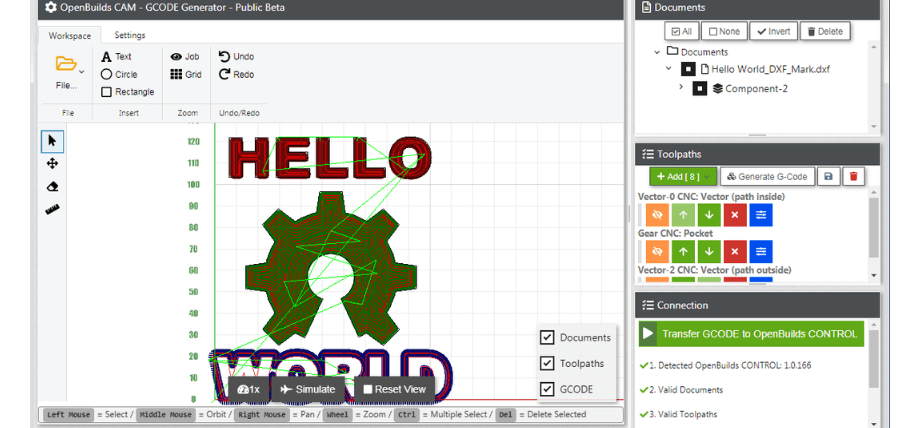
OpenBuilds CAM converts vectors to G-code, enabling “HELLO WORLD” on CNC lasers
OpenBuilds CAM, together with the Control software, enables users to perform a complete design-to-machine process. The CAM software imports vectors and creates toolpaths, while the control software handles G-code transmission to the laser. The software features a straightforward installation process, making it suitable for makers and educational institutions. The software lacks some advanced customization options for laser operations, and does not include automated nesting tools or optimization features.
DraftSight
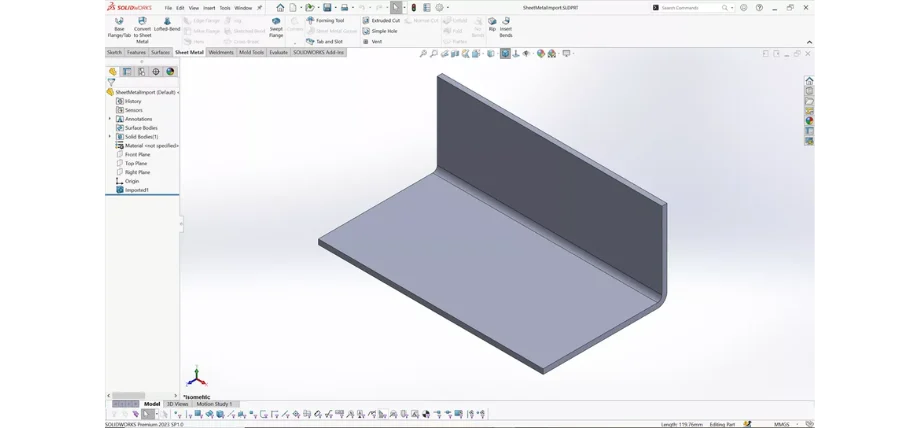
SOLIDWORKS Sheet Metal unfolds and models bent parts accurately for laser-cut flat patterns
The professional-grade 2D CAD drafting features of DraftSight enable users to create exact laser-cut layouts. The software natively supports DWG and DXF files while offering advanced dimensioning and constraint functionality.
The software lacks built-in machine control, but engineers use DraftSight to create precise drawings with tolerances, which they then transfer to laser control software for use. The CAD-based design system of this software makes it perfect for creating technical parts that need precise measurements.
Best Laser Cutting Software (Paid)
LightBurn
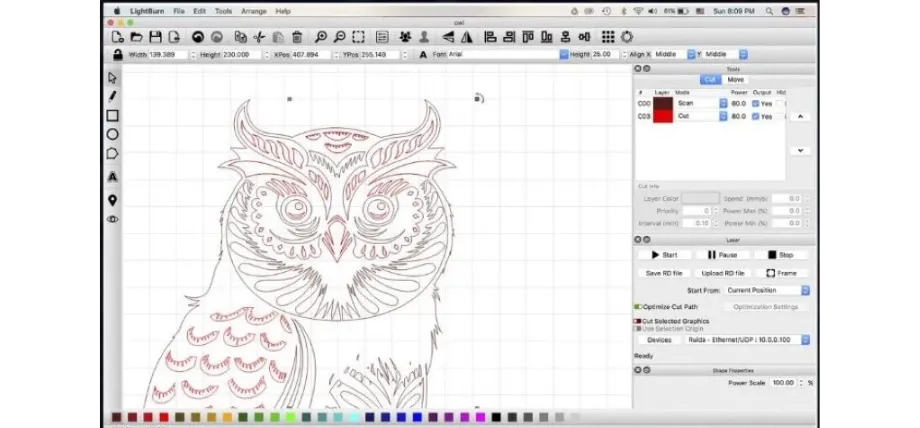
LightBurn optimizes intricate owl vectors for high-detail laser engraving and cutting
LightBurn functions as a complete design platform, enabling users to create layouts and control laser systems. The software supports all major file formats while providing direct integration with Ruida, Trocen, TopWisdom, and GRBL controllers.
Users can create vector designs and upload artwork files while setting up layer-specific parameters for cutting, engraving, and scoring operations, and then transmit their work to the laser. The software includes tools for camera alignment and job preview, shape nesting, and material library management. LightBurn provides users with both design and control capabilities, making it the best laser cutting software at all levels of operation.
CorelDRAW
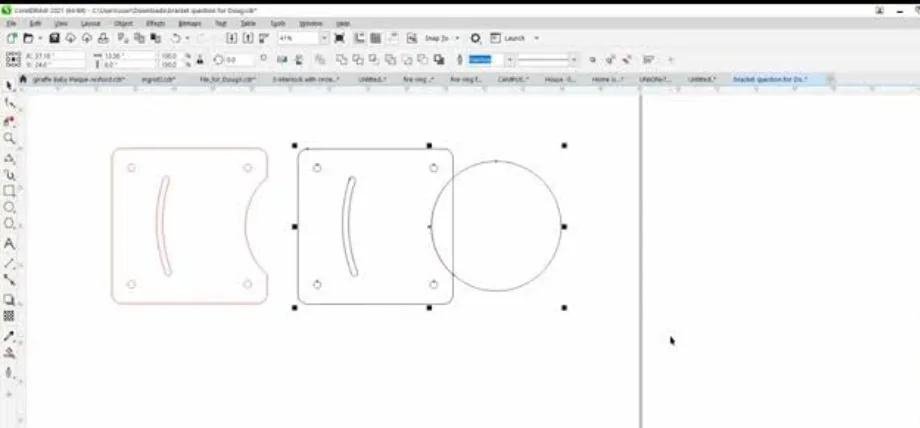
CorelDRAW drafts mechanical brackets with accurate holes and curves for laser fabrication
CorelDRAW is a leading vector design application that has been widely used in the laser industry for many years. The application enables users to connect with various laser drivers through a direct printing system.
Users can perform colour-based cutting and engraving operations while using macros for automated tasks and handling complex projects with multiple layers. The software excels at vector editing and text manipulation, which makes it suitable for businesses that create signs, personalized items, and patterns. CorelDRAW operates as a standalone application because it needs separate print drivers or additional software to control laser machines.
AutoCAD
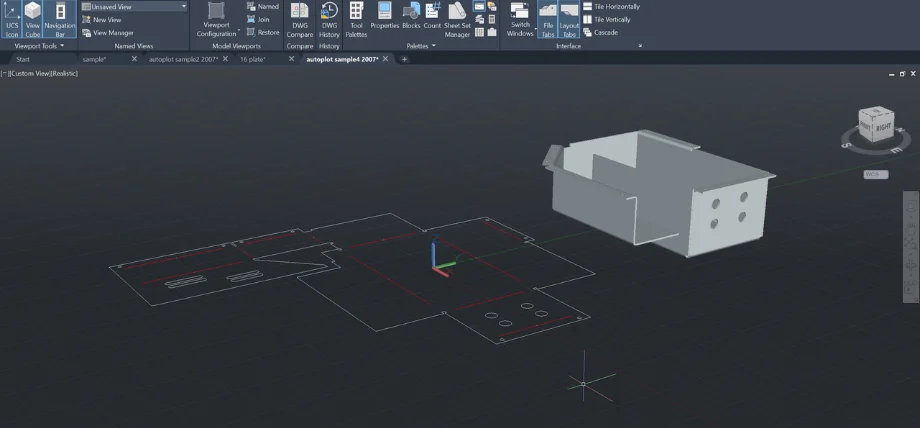
AutoCAD generates flat patterns from 3D sheet metal models to ensure accurate laser cutting and bending
AutoCAD serves as the primary software for the engineering industry, enabling the creation of 2D drawings and precise geometric designs. The production of DWG and DXF files in AutoCAD serves as the beginning point for numerous industrial laser-cutting operations. The software provides ideal conditions for mechanical part design and sheet-metal layout creation due to its parametric constraints, layer management system, and precise dimensioning tools.
The design-focused software AutoCAD needs a separate CAM system or control tool to translate its output into laser machine instructions. The high price of AutoCAD does not deter engineers from using it because their work requires complete documentation and version control systems.
Try Prolean Now!
Trotec JobControl
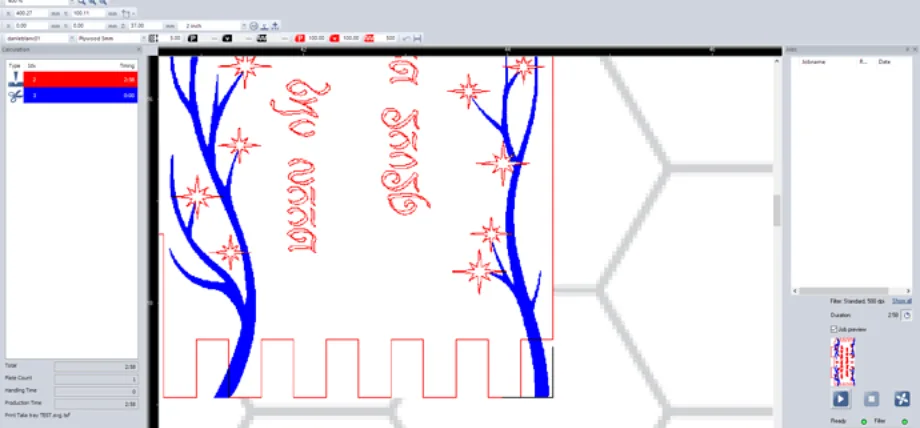
Laser software optimizes “Happy New Year” designs by sequencing red cut paths efficiently
The proprietary laser management software JobControl operates as Trotec’s exclusive system. The software accepts vector files from CorelDRAW and Illustrator programs, while managing Trotec system operations for queuing, positioning, and parameter control. The software features a live-camera preview system and a material database, making setup operations more straightforward.
The colour-mapping function in JobControl enables users to assign cutting, engraving, and marking operations based on the colours present in their files. The software delivers its best results in manufacturing settings that require both high precision and fast operation. The software operates exclusively with Trotec machines, as it lacks compatibility with other equipment.
Adobe Illustrator
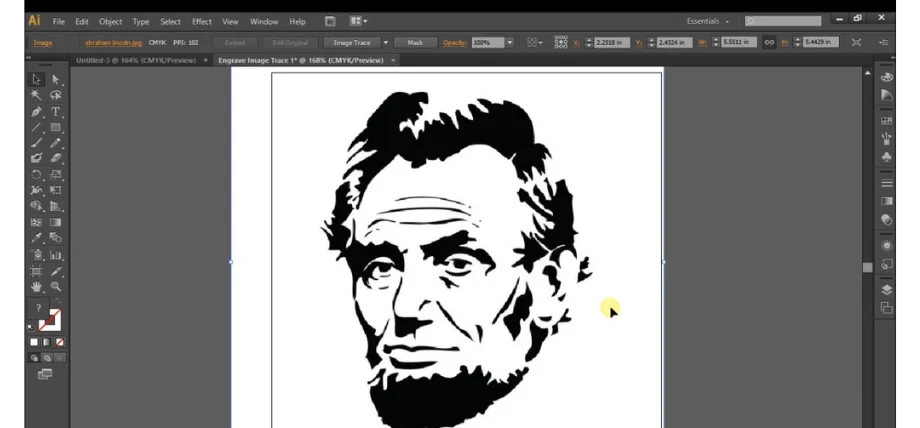
Illustrator traces raster images into vector stencils, ideal for laser engraving portraits
Adobe Illustrator serves as a professional vector graphics suite, delivering exceptional precision for users who require design-focused applications. The software attracts industrial designers and engravers because it offers advanced layer management and Bezier curve editing, as well as support for numerous file formats. The design-to-cut process becomes more efficient because many laser systems include built-in printer drivers that support the import of Illustrator files.
The software functions as a design tool rather than a machine controller, but users who value design quality and brand consistency choose it as their top option.
Factors to Consider When Choosing Laser Cutting Software
- The software system needs to support DXF, DWG, SVG, AI, and PDF as well as raster file formats, because your laser cutting process requires them.
- The software system must support your controller type through direct communication or via a driver interface with Ruida, GRBL, and Smoothieware systems.
- The software system enables users to set specific values for laser power, speed, and number of passes, Z-offset, focus position, and assist settings.
- The software system enables users to optimise their cutting paths for waste reduction, supports job queuing and repeated job execution, and facilitates automated production workflows.
- The system includes predefined material databases that users can customise to store thickness information, cut settings, and assist parameters for achieving consistent results.
- The software system provides users with vector editing tools and vector tracing capabilities, displaying cut path previews and simulations, and supports layer organization and color-based cut and engrave rule management.
- The system requires users to purchase a license, which determines the pricing model and supports multiple users and machines.
- The system provides complete documentation and ongoing support through its active user base and manufacturer-assisted hardware integration services.
Try Prolean Now!
Comparison of Top Software Options
|
Software |
Type |
Machine-Control Capable |
Primary Use |
Key Advantages |
Limitations |
|
Inkscape |
Free |
No |
Vector design |
Powerful editing, open source |
Requires an external controller |
|
LaserGRBL |
Free |
Yes |
Direct control (GRBL) |
Simple, lightweight, real-time control |
Limited features, Windows only |
|
LaserWeb |
Free |
Yes |
Control & CAM |
Multi-machine management, browser-based |
Complex setup |
|
OpenBuilds CAM & Control |
Free |
Yes |
CAM & control |
Easy workflow, free |
A few advanced features |
|
DraftSight |
Free |
No |
2D CAD drafting |
Accurate geometry, DXF/DWG native |
No direct machine interface |
|
LightBurn |
Paid |
Yes |
Design & control |
Comprehensive toolset, broad compatibility |
License cost |
|
CorelDRAW |
Paid |
No |
Vector graphics |
Professional layout tools, colour mapping |
Needs a laser driver |
|
AutoCAD |
Paid |
No |
Technical CAD design |
Engineering accuracy, documentation |
High cost, design only |
|
Trotec JobControl |
Paid |
Yes |
Laser control |
Integrated workflow, material presets |
Trotec-only compatibility |
|
Adobe Illustrator |
Paid |
No |
Graphic design |
Excellent vector precision, industry standard |
No direct control |
Laser Cutting Services
Proleantech provides the best laser cutting services with adherence to ISO standards and compatibility with different types of software. You can upload any file type and drawing and our best laser cutting software suite is used to view your files.
Request a free quote for the production of your laser-cut parts with delivery at your doorstep or warehouse.
Conclusion
- Inkscape and LaserGRBL provide an accessible entry point for low-cost operations and educational purposes.
- LaserGBL VS LightBurn provides the optimal combination of control features and workflow integration for professional fabrication operations.
- Design professionals often choose CorelDRAW and Illustrator as their primary tools, while AutoCAD serves the needs of engineering professionals.
Selecting a solution that matches your machine operations, file management system, and material capabilities will produce uniform, high-quality cutting results at maximum efficiency.
0 Comments