
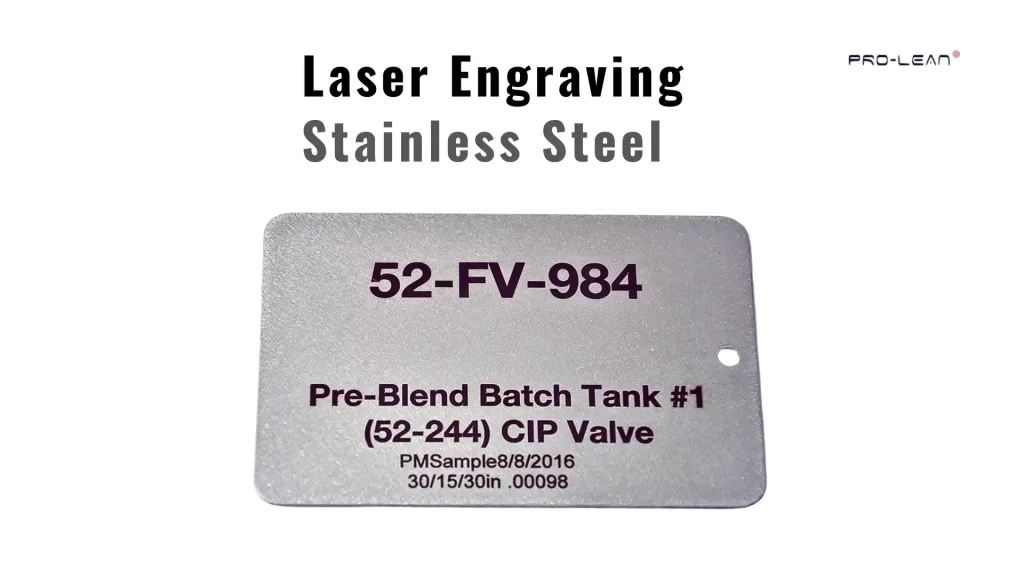
Laser-etched stainless steel identification tags
Many ask, ‘Can you laser engrave stainless steel?‘ However, Stainless steel is harder than many common metals. Some think it cannot be engraved easily. In practice, a laser can mark stainless steel without much difficulty.
The focused laser beam heats a very small area on the surface. This heat alters the metal’s surface, leaving a permanent mark.
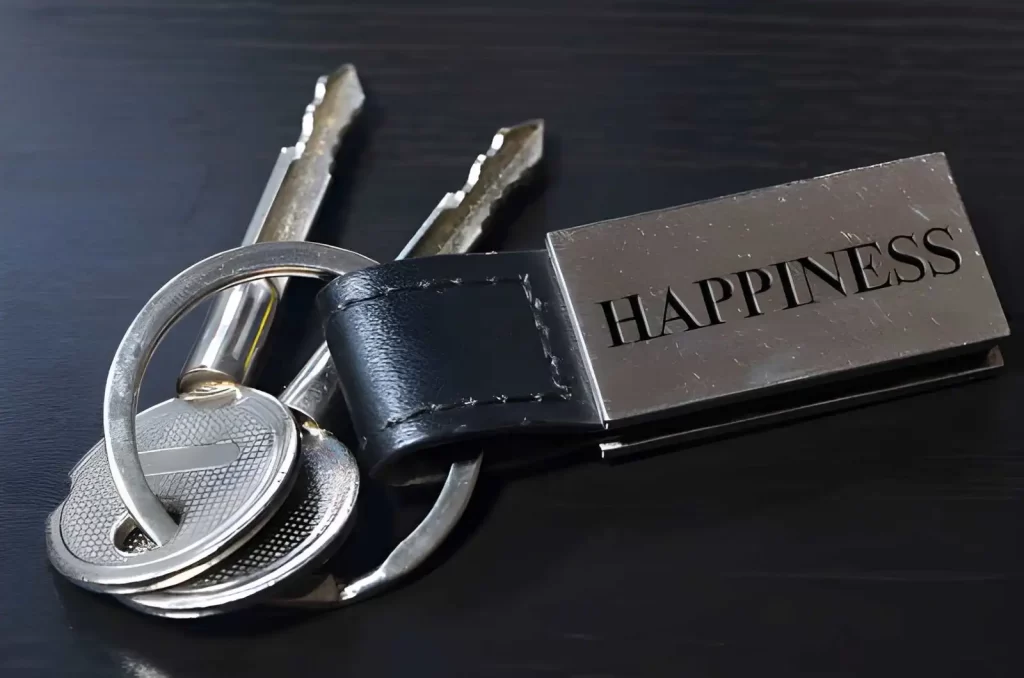
Engraved stainless steel keychain
Many workshops use laser engraving metal to add logos, serial numbers, barcodes, or simple designs. It also works well for customized items like keychains, tumblers, and metal cards. With proper machine settings, stainless steel can be engraved with sharp and durable markings.
Before starting laser engraving stainless steel, it is useful to understand a few practical factors. Machine type, power settings, and surface condition all affect the final result. So, let’s get into the details.
How Laser Engraving Stainless Steel Works in Practice
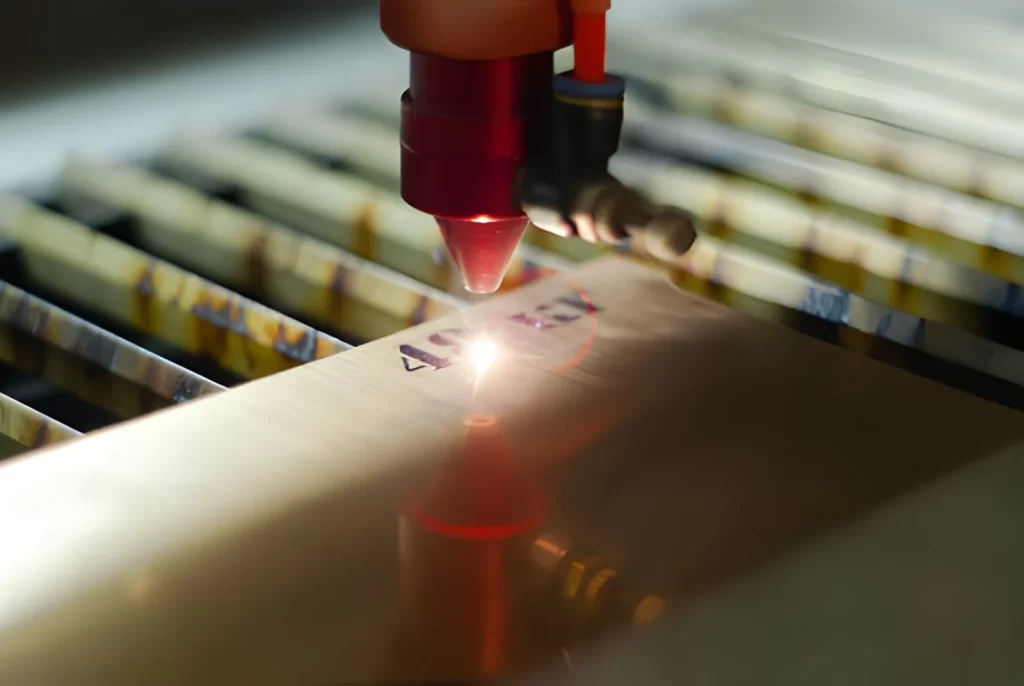
Laser engraving
Laser engraving leaves a permanent mark on stainless steel by focusing intense heat onto a small area of the metal. When the laser beam focuses on an extremely small point on the surface of the stainless steel, that area is heated to the point of vaporization.
Either the entire vaporized area (in the case of a shallow engraving) or simply the top layer of the surface (in the case of a surface mark) is vaporized. This results in a permanent and sharp mark.
The laser engraver uses a digital design. The operator inputs the digital design into the laser’s software. Once entered, the software controls the laser’s movement across the stainless steel to generate text, logos, or part numbers.
Material Removal During Engraving
During laser engraving, the laser beam vaporizes a very thin layer of the stainless steel. As the layer is vaporized, it creates a shallow groove on the surface. Because the groove is formed by removing material, the resulting mark will remain durable and resistant to wear.
Because of its durability and effectiveness, manufacturers commonly use laser engraving to create serial numbers, logos, and labeling on their stainless steel components.
Surface Marking with Laser Etching
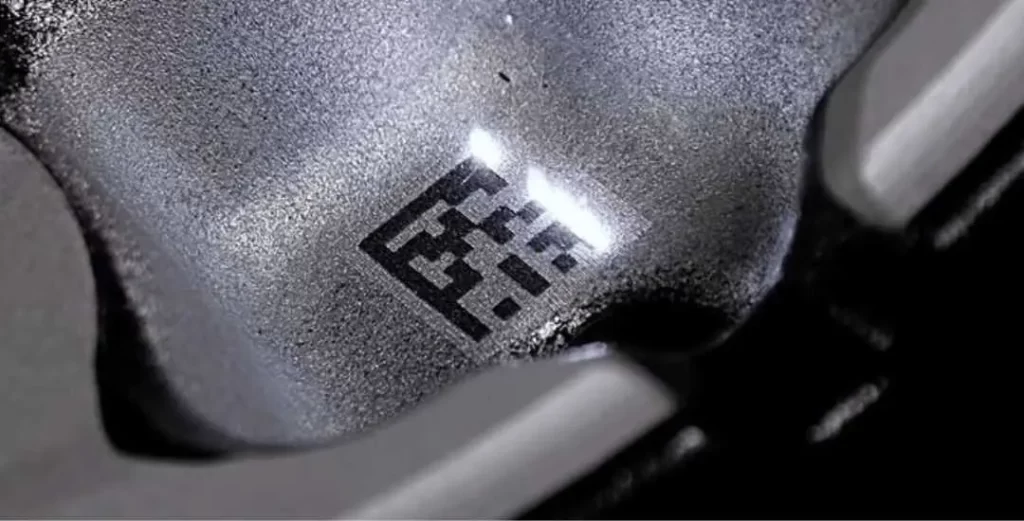
Laser-etched metal with QR code
When the laser power is reduced, the laser does not remove material from the stainless steel surface. Instead, the reduced laser energy causes a slight surface melt. The melted material remains at the surface, forming a visible mark.
Although laser etching stainless steel marks may be relatively shallow, the time to form it is significantly faster than would be possible with higher powers. Therefore, many shops are now utilizing laser etching for bar codes, product identification, and tracking information. (Also, read our guide: laser engraving vs laser etching)
Color Marking on Stainless Steel
Fiber lasers are effective for laser marking stainless steel. The laser can create a controlled amount of oxidation on the surface of stainless steel. Oxidation is created when the laser beam heats the surface of the stainless steel. The amount of oxidation is directly related to the thickness of the oxidation layer. Since oxidation varies with thickness, different levels of oxidation produce different colors. This type of coloring is commonly utilized for logos, branding, and decoration.
Role of Laser Settings
The settings of laser power, speed, and frequency will determine the final appearance of the marked component. For example, increasing the laser power increases the mark’s penetration depth. Conversely, reducing the laser power decreases the mark’s penetration depth. Similarly, changing the laser’s frequency or speed will alter the final appearance of the marked component. Most importantly, operators need to be aware of the effect that each of these settings has on the final appearance of the marked stainless steel.
Importance of Surface Condition
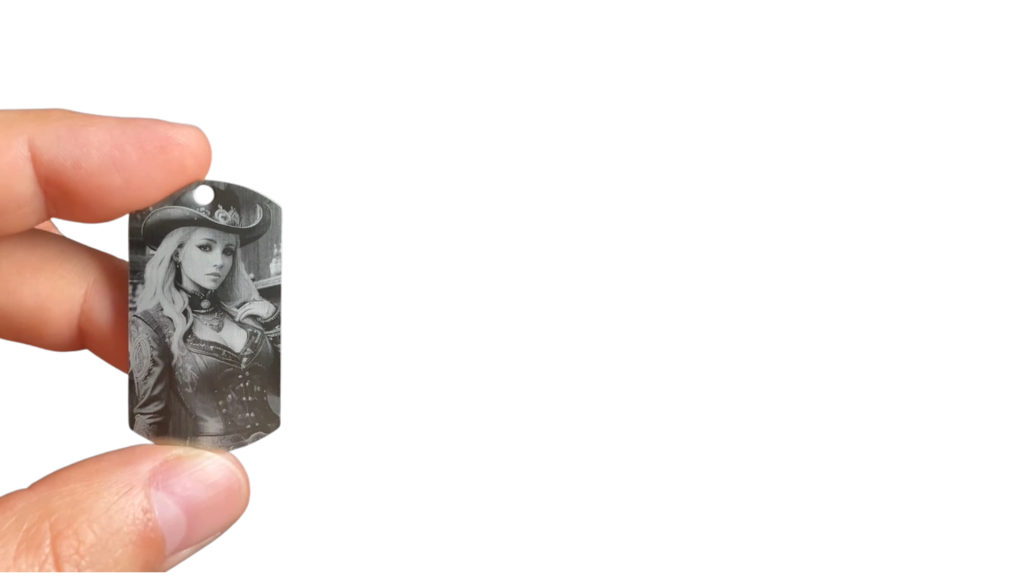
Laser-engraved stainless steel artwork
It is essential to ensure that the stainless steel surface to be engraved is free of oil, dust, etc. The surface cleanliness will greatly influence the final appearance of the engraved area. For instance, if the surface of the stainless steel is not properly cleaned before engraving, there may be a greater likelihood of unevenness in the appearance of the engraved area.
Laser Types Used for Engraving Stainless Steel
There are many primary laser machine types suitable for marking stainless steel. Metal marking lasers perform better because of the interaction between the laser’s wavelength and the metal’s surface. Machine type affects all aspects of stainless steel engraving, including engraving depth, marking rate, and overall quality.
1. Fiber Laser
The majority of laser engraving techniques available today use a fiber laser. These laser engravers typically operate at 1064 nm, which allows metals to absorb the laser energy readily. As a result, these laser engravers can quickly engrave stainless steel and provide high-quality engraving results.
Typically, in workshops, 20-100-watt fiber lasers will be sufficient for standard engraving tasks. These laser engravers are ideal for engraving serial numbers, product logos, QR codes, and industrial labels onto stainless steel. Most of the time, the engraves will be very sharp and may only require one pass.
2. MOPA Fiber Laser
MOPA (Master Oscillator Power Amplifier) lasers are essentially fiber lasers modified to produce higher output power. The biggest difference between fiber lasers and MOPA lasers is the user’s ability to control the laser’s pulse width and frequency. This allows the user to control the way the laser interacts with the metal surface.
By controlling how the laser interacts with the metal surface, users of MOPA laser engravers can achieve deeper engraving and/or surface color marking. MOPA laser engravers are commonly used to decorate stainless steel components or apply colored logos.
3. Diode Laser
Diode lasers are much smaller and generally have lower power than fiber lasers. Many diode lasers operate at 450-455 nm. While diode lasers can mark stainless steel, the process is significantly slower than with a fiber laser.
Due to the laser’s lower power, an engraver often needs to make multiple passes over the same area to achieve the desired result. Some users will also apply a marking spray to enhance the contrast of the mark on the stainless steel surface.
4. CO₂ Laser
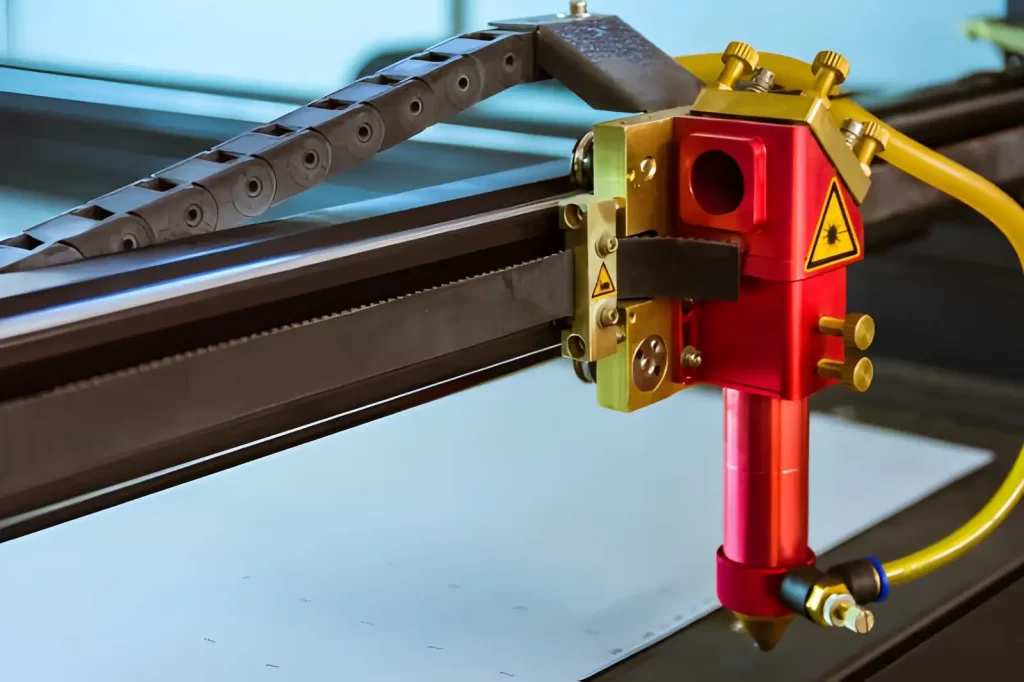
CO2 laser engraving machine
CO₂ lasers are primarily designed for engraving and cutting materials like wood, plastic, and acrylic. It does not interact well with bare stainless steel. To successfully engrave stainless steel with a CO₂ laser, a specialized marking compound must first be applied to the stainless steel.
Once the compound is applied, the CO₂ laser heats it, forming a bond between the compound and the stainless steel and creating the mark.
How to Laser Engrave Stainless Steel
Laser engraving stainless steel creates permanent marks on the metal’s surface by heating small areas to produce the designs, text, or logos you need.
Choose the Right Laser
For laser engraving stainless steel, the best type of laser is a fiber laser. Fiber lasers are preferred for working with stainless steel because they perform so well. They deliver high-quality engraving results in a single pass.
While diode lasers can also laser engrave stainless steel, they take longer to complete the job. They will likely have to go over the area more than once, or they will need to be used with an engraving spray to achieve a better-quality result.
Prepare the Surface
Cleaning the stainless steel surface before laser engraving is essential. Dust, oils, and greases should all be removed from the stainless steel surface before attempting to laser engrave it. If you are using a low-powered laser, you can improve the appearance of your engraving by applying a laser marking spray or by placing tape on the stainless steel surface before engraving.
Prepare the Design
Before beginning the process of laser engraving, you must load your design into your laser engraving software. This could be anything from a simple text message to a logo, a serial number, or even a barcode.
The size and design location within the software will need to be set to match your stainless steel piece. Some laser engraving software packages allow users to design a curved surface and automatically adjust their parameters for the best possible outcome.
Set Laser Parameters
After loading the design into your software, you will need to set the laser parameters (power, speed, frequency, and focus) based on the material you are engraving (stainless steel) and the design you loaded.
Testing your parameters on a test sample of stainless steel before beginning the actual project will ensure your final product meets the desired quality standards. Increasing the laser power or decreasing the laser speed will increase the amount of “cut” through the stainless steel; conversely, decreasing the laser power will decrease the amount of “cut” through the stainless steel.
Position the Part
Once you have selected your laser parameters and tested them, place the stainless steel on the machine bed. Utilizing either the software preview or the camera system provided with many laser machines, you will confirm that your design is properly positioned. When the design is properly positioned, the final product will appear exactly as intended.
Start Engraving
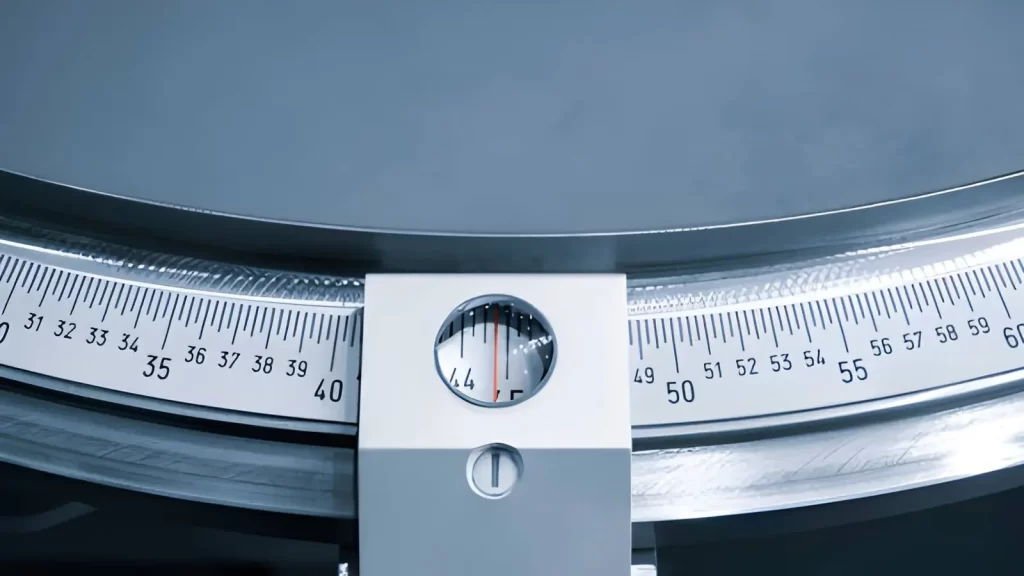
Engraved measuring ruler for marking
You are now ready to begin the laser engraving process. Simply run the laser, and the metal will begin to be engraved. After completing the engraving, you will need to clean the part to remove any residual material. Next, inspect the engraving to determine its clarity and depth. If the engraving does not meet your expectations, you can improve it by adjusting your laser parameters.
Try Prolean Now!
Top Tips for Laser Engraving Stainless Steel
It is better to approach laser engraving stainless steel like a workshop project. The process will work better when the small adjustments (to the laser) are made, the surface is clean, and the laser is set up properly.
Start with Small Projects
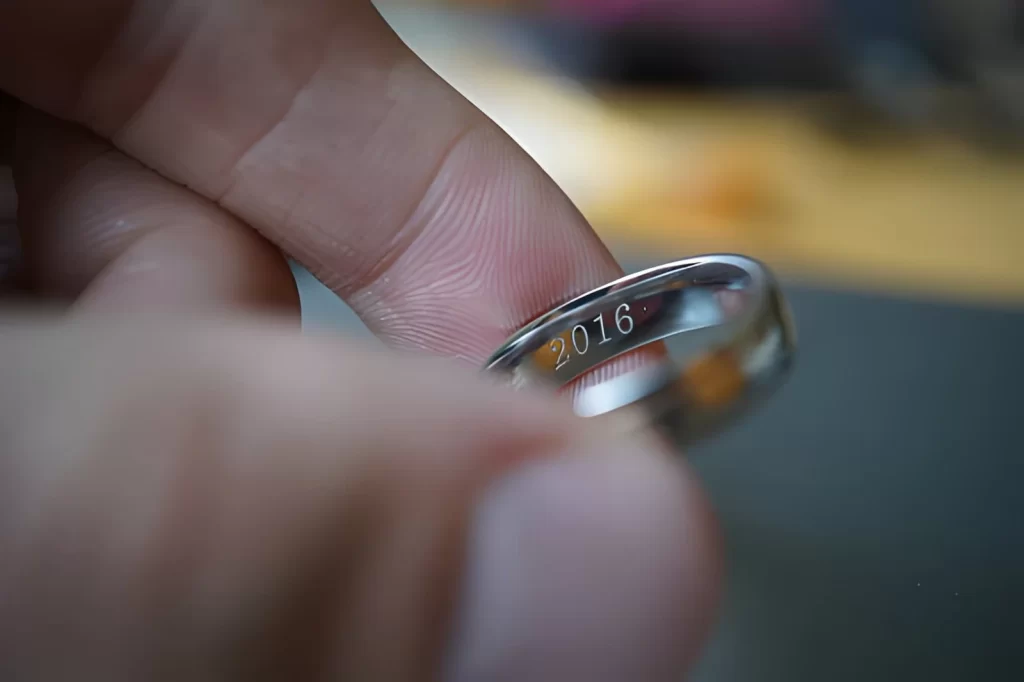
Stainless steel ring with engraved year
When you’re first starting to use laser engraving on stainless steel, it’s best to test your laser settings on small parts. Some examples of good starter parts are:
- Keychains
- Dog tags
- Labels made from small metal plates
- Tool labels
- Sheet metal labeled with a business card-sized sheet of stainless steel
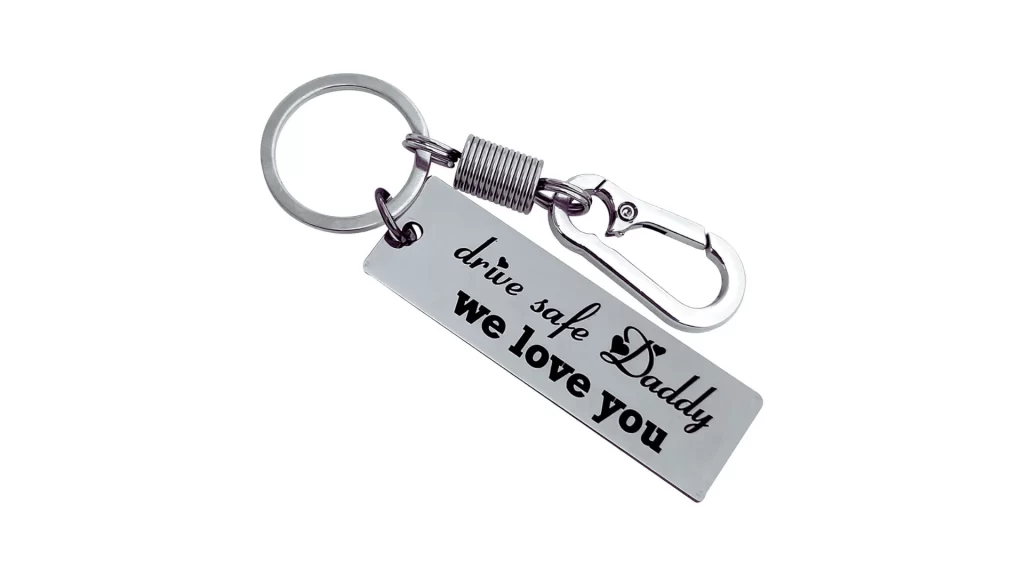
Personalized stainless steel laser-engraved keychain
These small parts let you experiment with laser power, speed, and focus. Before engraving a completed product, it’s much easier to correct an error on a small scrap part. After you have your laser settings dialed in, you can begin working on more complex or large projects.
Adjust Laser Power and Speed
- When the power is too high, it can melt the metal, resulting in a blurry edge.
- On the other hand, if the laser power is too low, it can create a shallow mark that is difficult to see.
To find the optimal laser settings
- Start by using moderate settings.
- Run a few test passes.
- Gradually change the laser settings until the engraving is sharp, smooth, and consistent.
Try Prolean Now!
Keep the Lens Clean
One of the most common reasons for irregular or wavy engraving is a dirty lens. Dust, smoke, or debris can collect on the lens, scattering the laser beam and causing a variety of problems. Clean your lens with a microfiber cloth or a lens cleaning solution. Cleaning your lens frequently will keep your marks clear and ensure the laser beam strikes the metal accurately.
Prepare the Stainless Steel Surface
Surface preparation is almost as important as laser preparation. Make sure to wipe down the stainless steel to remove dirt, oil, or fingerprints. If the surface is clean, the laser will engrave evenly. For low-power diode lasers, add a laser marking spray to the stainless steel to enhance the contrast and make the engraving more visible.
Clean the Finished Product
After the laser engraves the stainless steel, some residue may remain. You may also notice black spots or streaks. Use a degreaser, an all-purpose cleaner, or a glass cleaner with a degreaser to clean the surface. Cleaning the surface will improve the item’s appearance, give it a clean, professional look, and help the customer see what was done to it.
Set the Correct Focal Height
Different objects require different focal heights. Flat, cylindrical, and curved materials all require proper focus. Label the correct height for each type of object, or purchase a laser with autofocus. Using the correct focal height will produce clear, smooth engravings and reduce waste due to incorrect engravings.
Test and Take Notes
Always test your laser settings on scrap before making them on a final product. Record the laser power, speed, and focus for each material type. As time goes by, documenting your settings will save you time when setting up future jobs and prevent you from having to spend time correcting them again when you switch to a new project.
Start Laser Engraving Stainless Steel with Prolean Tech
At Prolean Tech, we provide laser engraving and metal machining services for both small items and larger metal components used in industrial or commercial products.
Some common engraving projects include:
- Keychains and dog tags
- Stainless steel business cards
- Tool labels and identification plates
- Control panel nameplates
- Industrial equipment tags
- Stainless steel signage
- Machine panels and enclosures
- Large branding plates for machinery
Whether it’s for small gifts, industrial labels, or custom products, our team delivers precision results without a steep learning curve. Start your project today or request a quote from our team to discuss your stainless steel engraving requirements. We’ll help you choose the right process and deliver parts that meet your specifications.
0 Comments